

We Compared the Leading Torque Screwdrivers. Here's Why Clickpoint is #1:
 Written by Emma Collins
Premium name-brand tools are the next stop for many owners, and they do the job. But they are made for people who torque every day, and a few jobs a year rarely justify one. The tool stays in the drawer, and the next spec gets tightened by feel again.
What works instead is a preset driver: you set the value first, then drive until the clutch slips. Look for a scale you can read at a glance, a click you can hear and feel, bits that stay seated, and a range that covers the specs in your manuals.
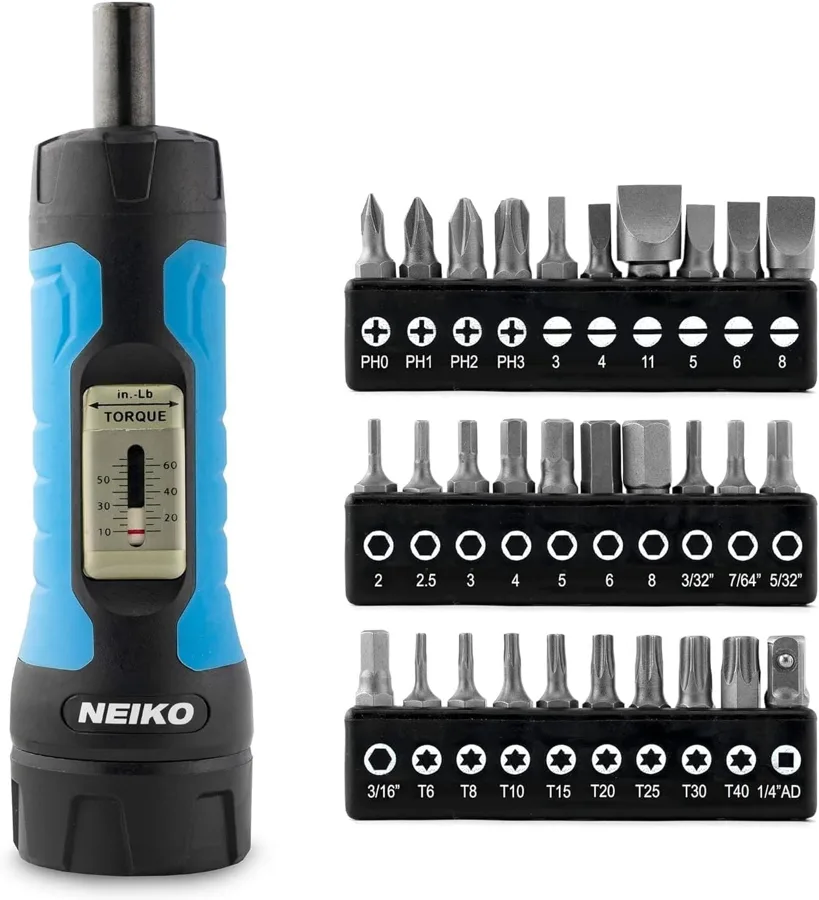
That is why we put five options side by side, from compact click drivers to big kits with T-bars and sockets. The differences are real, and they hide in the details. Rather than make you read every spec sheet, we lined them up on paper, so here is how the comparison played out.
Here's what we found.
How We Compared Them
We compared five models on paper across four criteria: Scale Readability, Click Feedback, Accuracy and Range, and Bit Quality and Selection. We read published specs, materials, parts lists, dimensions and design details for each torque screwdriver, then set them against real buyer feedback. This is a paper comparison, and we say so plainly.
Scale Readability looked at how a setting is shown and how fast you can read it. Click Feedback covered how the clutch signals the limit. Accuracy and Range compared stated tolerance and torque span, and Bit Quality and Selection compared bit steel, holders and extras such as sockets. Each model got a score on every criterion, based on what the facts show.
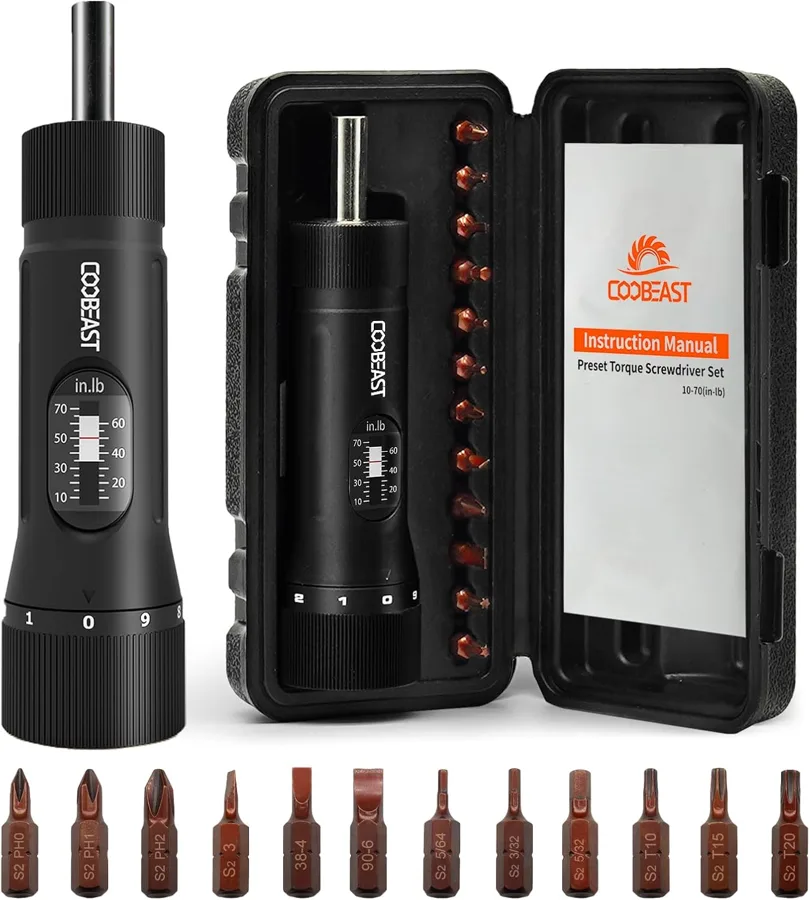
On paper, our top pick came out ahead because it does the core job cleanly. The clutch slips with a click at your preset, the window scale and knob sub-scale show your setting in 1 in-lb steps, and the 10 to 70 in-lb range (1.13 to 7.91 N·m) covers common optic, bike and electronics specs.
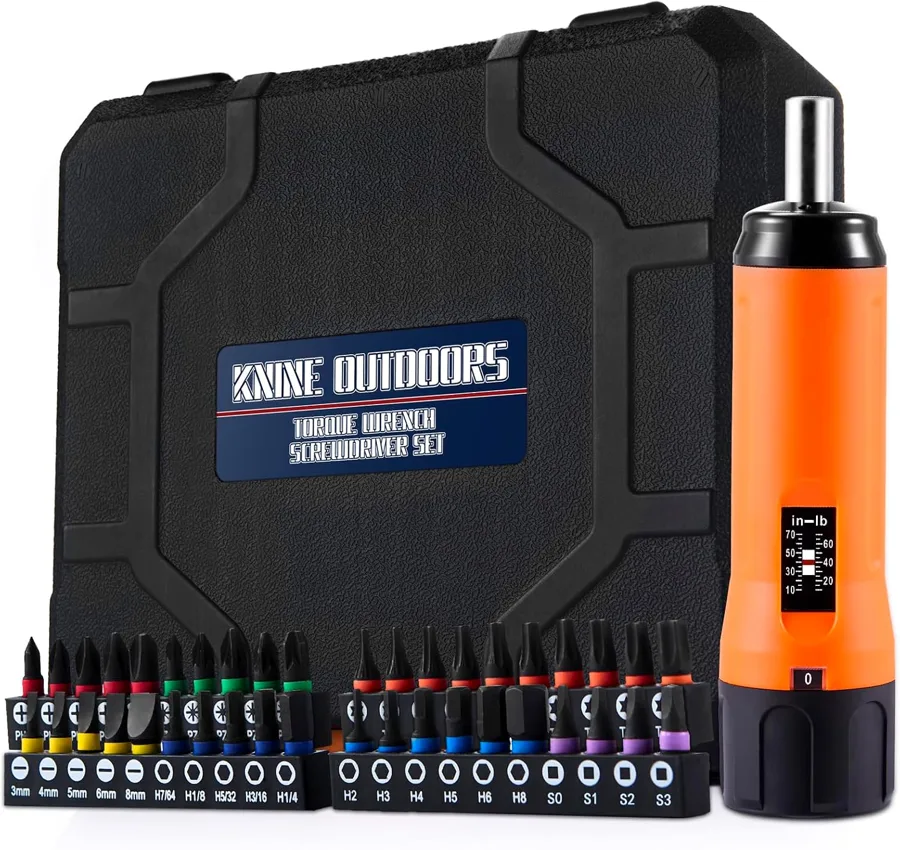
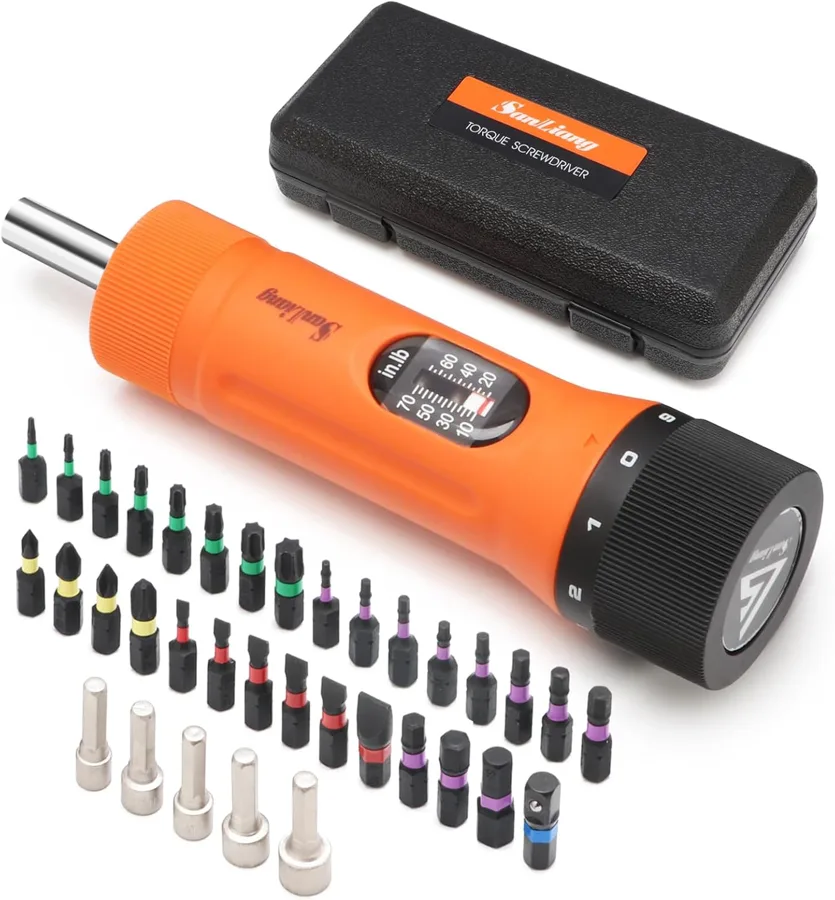
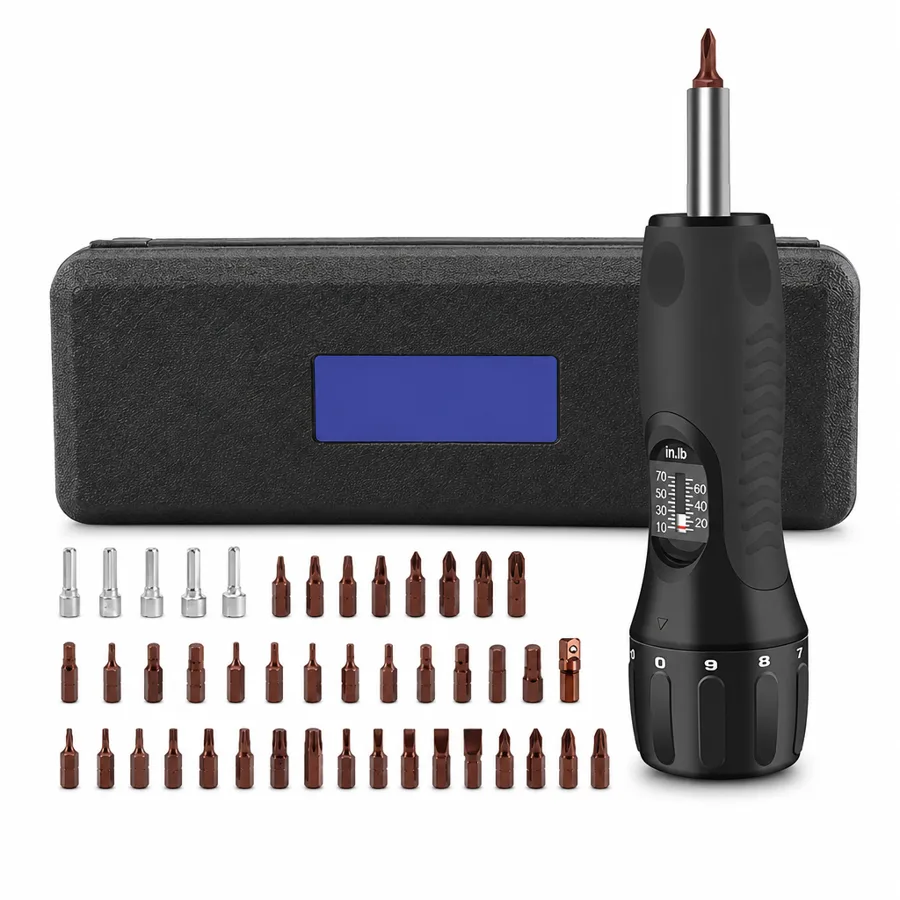
Secondary strengths add up. The magnetic 1/4 in (6.35 mm) hex holder with a steel-ball release keeps bits seated, and the larger kit adds 39 S2 bits in four marked strips plus five chrome vanadium steel sockets. The stainless steel body with a nylon sleeve weighs about 0.27 kg (0.60 lb), and nothing needs charging.
The honest limitation: the scale reads in-lb only, and accuracy is ±6%. Convert N·m specs before you set the knob and check your manual's tolerance. Set against the guesswork it replaces, that is a small step.
The Results:
Clickpoint is our top pick because it gives you a clear click, a readable scale and a kit that grows with your jobs.
Value
With a preset driver you stop tightening by feel. No more holding back out of fear and re-checking a loose mount, or going one turn too far. You set the number, drive, hear the click and move on to the next screw.
Doing nothing has its own bill. A stripped head, a cracked housing, a stem you now have to replace, a red dot that walks loose after a range session. Each one is a part you buy twice and an evening you spend fixing the first mistake.
The build is made for repeat use. The body is stainless steel with a sprayed plastic finish and a nylon outer sleeve, the bits are S2 steel and the sockets are chrome vanadium steel. The mechanical clutch has no battery to fail, and the 12-piece kit comes in a hard case. Set your number with confidence on every job.
From Guesswork to a Clean Finish
Picture the weekend build: the new optic on the kitchen table, the manual open at its spec. You turn the knob to your number, drive the screw and hear the click. You stop, move to the next screw, and the job is done before the coffee cools.
Who else benefits? Cyclists bolting on a new stem, PC builders seating standoffs, and anyone fitting an EV charger terminal or assembling flat-pack furniture that warns against over-tightening. It also makes a thoughtful gift for the hobbyist in your life who always talks about the last part they ruined.
Frequently Asked Questions
Pull the knob down to unlock it and turn to your value. Read the number in the window, line up the pointer on the knob scale, then lock the knob. A full turn of the knob covers 10 in-lb, so you reach your number quickly.
Accuracy is ±6%, so allow for that tolerance. The click and slip tell you when you have reached your setting. Compare ±6% with the tolerance in your optic's manual before you start.
The maker states that each unit is checked with a torque tester before it leaves the factory, and ±6% is the stated tolerance. For a critical job, compare that figure with the one in your manual.
Check the spec in your manual against the 10 to 70 in-lb range (1.13 to 7.91 N·m; 0.83 to 5.83 ft-lb). A 5 N·m bike stem spec falls inside it. The window reads in-lb only, so convert any N·m value before you set the knob.
You hear and feel the clutch slip once you reach your setting, and that is your cue to stop. Keep a light grip and drive steadily. Then move to the next screw.
It is a preset type that clicks and slips at the value you set, so its job is tightening to a spec. For freeing a stubborn fastener, a regular screwdriver is the usual choice.
All the bits in the kits are S2 steel. The magnetic 1/4 in (6.35 mm) hex holder with its steel-ball release keeps them seated and makes swapping quick.
The CSQ-70 12-piece set (black) has the driver, 12 S2 bits, a hard case and a manual. The SQ-70 46-piece set (orange and black) adds five sockets from 6 to 10 mm (0.24 to 0.39 in) and carries 39 S2 bits instead of 12, plus a socket adapter.
Purchase and Delivery Process
Open the store page for Clickpoint and pick your set: the CSQ-70 12-piece (black) or the SQ-70 46-piece (orange and black). Add it to your cart and follow the checkout steps.
Before you order, check the torque spec in your manual against the 10 to 70 in-lb range and convert any N·m value. Then you can start your next job with a number to stop at.
Where Can I Buy the Clickpoint?
Getting your own Clickpoint with a 50% discount is simple. Just follow these steps: